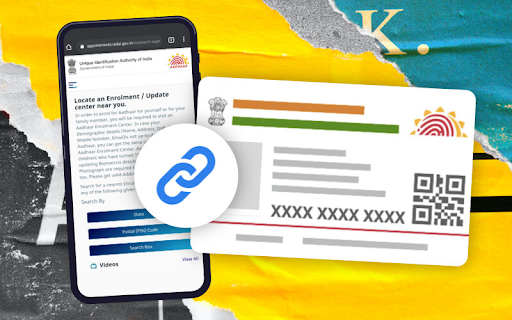
Linking your Aadhaar card with your mobile number is an essential process mandated by the government for various financial transactions, eKYC verifications, and security measures. Additionally, having a linked mobile number ensures that all Aadhaar-based processes are convenient, secure, and easily trackable. In this article, we will show you how to link your Aadhaar card with your mobile number, step by step.
Before diving into the guide, it’s important to note that linking your mobile number with Aadhaar ensures that you stay updated on any notifications or changes related to banking, government schemes, and other essential services.
We’ll also briefly explore an additional tip about checking active loans linked to your PAN card. Read on to learn more!
Table of Contents
Why Do You Need to Link Aadhaar Card With Mobile Number?
Linking your Aadhaar card with your mobile number has become a necessity due to various reasons:
- Secure Your Identity: Linking safeguards your identity and ensures that your mobile number is tied to your Aadhaar details for secure verifications.
- Access Government Services: Most government-provided subsidies, benefits, and schemes now require Aadhaar authentication, which is easier when linked with your mobile.
- Effortless eKYC: Aadhaar simplifies tasks such as opening bank accounts, updating documents, or even accessing SIM card services via digital verification tools.
- Stay Updated: Receive OTPs, Aadhaar-related notifications, and activity alerts seamlessly.
Having understood the importance, let’s move on to the easy step-by-step guide to link your Aadhaar card with your mobile number.
Step-by-Step Guide to Link Aadhaar Card With Mobile Number
Here’s a comprehensive guide to link your Aadhaar card with your mobile number:
Step 1: Prepare the Necessary Documents
Before initiating the Aadhaar-mobile number linking process, make sure you have the following documents and essentials ready:
- Your Aadhaar card (12-digit unique identity number).
- Your mobile number (both old and new numbers if you’re updating).
- Any government photo ID proof (for in-person verification if required).
Step 2: Visit Your Mobile Service Provider’s Store
You won’t be able to complete the linking process online in most cases. Instead, you’ll need to visit your telecom operator’s nearest authorized store or retail outlet.
- Walk into your network provider’s retail store (e.g., Airtel, Vodafone-Idea, Jio, or BSNL).
- Request the Aadhaar-mobile number linking service.
Step 3: Verification Process
The store’s representative will initiate an OTP (One-Time Password)-based verification. Here’s how the process works:
- Provide your mobile number and Aadhaar number to the executive.
- You will receive an OTP (One-Time Password) on the mobile number you are providing for linking.
- Share the OTP with the representative for verification purposes.
Step 4: Biometric Verification (If Required)
If further authentication is necessary, you may be asked to provide biometric verification (i.e., your fingerprint or iris scan). This step is often used to confirm that the Aadhaar details belong to you.
Step 5: Confirmation and Activation
After successful verification, the representative will confirm the Aadhaar-Mobile linking request. Usually, the process is completed within 24-48 hours, though it may sometimes take longer. You’ll receive an SMS confirming that your Aadhaar card has been successfully linked with your mobile number.
How to Link Aadhaar With a New Mobile Number?
If you’ve recently changed your mobile number, you must update your Aadhaar details accordingly. To link a new mobile number with your Aadhaar card, follow these additional steps:
- Visit your nearest Aadhaar Enrollment/Update Centre.
- Fill out the Aadhaar Update/Correction form, providing your new mobile number.
- Submit the form to the Aadhaar executive along with any necessary verification documents.
- Confirm your new mobile number using OTP verification sent to the new number.
- Your request will be processed, and the new number will be linked to your Aadhaar card within 5-10 business days.
How to Check Whether Your Mobile Number is Linked With Aadhaar?
To ensure that your Aadhar card link with mobile number process is successfully completed, you can verify the linking status online or through SMS.
- Visit the official UIDAI website (www.uidai.gov.in).
- Navigate to the ‘Verify Aadhaar Number’ section.
- Enter your 12-digit Aadhaar number and the mobile number you wish to verify.
- Click Send OTP to check if the number is linked.
Alternatively, Aadhaar linking status can also be checked by dialing your telecom provider’s helpline number or visiting their customer service portal.
How to Check Active Loans on PAN Card?
While linking Aadhaar with your mobile number is important for seamless Aadhaar services, it’s equally essential to know how to check active loan on PAN card. Monitoring loans linked to your PAN helps track your credit history and detect any unauthorized borrowings.
Here’s how you can check active loans on your PAN card:
Step 1: Visit Your Credit Bureau’s Website
Most credit bureaus, such as CIBIL (TransUnion), Experian, or Equifax, offer credit checking services online. Visit the official website of your chosen bureau.
Step 2: Enter Your PAN Card Details
You will need to fill in your PAN card number, full name, birthdate, email ID, and sometimes registered mobile number.
Step 3: Receive Your Credit Report
Once you’ve entered the requisite details, you’ll receive your credit report. In your report, you can see all active loans and credit card details linked to your PAN.
This information is especially useful to ensure there are no fraudulent or unauthorized loans taken in your name.
Frequently Asked Questions (FAQs)
1. Can I link my mobile number with Aadhaar online?
No, currently linking your mobile number with Aadhaar online is not possible. You must visit your telecom provider’s store or Aadhaar enrollment center for verification due to mandatory biometric checks.
2. Is there any fee to link Aadhaar with a mobile number?
Generally, telecom operators charge a nominal fee (ranging from ₹25 to ₹50, depending on your provider).
3. Can I link more than one mobile number with my Aadhaar card?
No, only one mobile number can be linked with an Aadhaar card.
4. How can I update my Aadhaar if I change my mobile number?
To update your mobile number, visit an Aadhaar Enrollment/Update Center, fill out the correction form, and verify your new number via OTP.
Conclusion
Linking your Aadhaar card with your mobile number is vital for maintaining secure and efficient access to both government and private services. Following the step-by-step guide above will ensure you complete the process quickly and easily.
Additionally, it’s equally important to keep track of other financial data, such as loans linked to your PAN card, to avoid any potential fraud or financial discrepancies. By following the outlined procedures, you can ensure that both your Aadhaar and PAN-related details remain updated and secure.
Stay proactive with your identity management to navigate through financial and governmental processes smoothly.

