
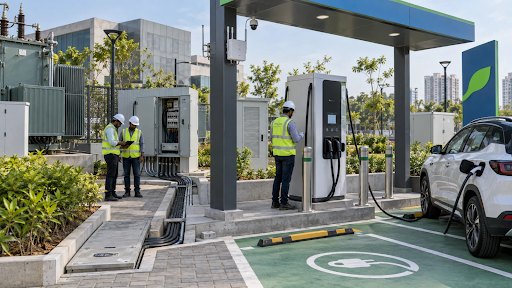
An EV station franchise connects to a charging network through software that lets the operator monitor the charger and lets drivers find, start and pay for a session. A site can appear on a map and still be difficult to use if the pin lands at the wrong gate or the payment flow fails. Before committing to a network, follow the same steps as a first-time driver and ask how the operator handles problems at each stage.
Table of Contents
How an EV Station Franchise Becomes Visible to Drivers
A driver usually starts by checking whether a site is open, within range and compatible with the vehicle. A useful listing shows the actual entrance, charging hours, connector type, price or where to find it, and access conditions. It should explain whether the driver needs to get a parking ticket or use a specific basement ramp. If chargers report live status, ask what the label means and how long the platform takes to reflect a change.
From the map pin to the charging bay
Test the listing using a phone outside your property. Follow the directions from two approaches, then check the physical signs and the charger ID. If more than one bay has a QR code, check that drivers can match the number on the screen to the correct connector. Assign one person to flag holiday hours, changed parking rules or temporary gate closures. Ask who updates each listing and whether partner apps take longer to reflect the change.
When comparing an EV charging network in India, ask which map and app channels are included and which require a separate integration. You can review the public-facing information from EarthtronEV and other operators before asking each network how your own site would appear.
What Happens When a Driver Starts a Session
The driver identifies the connector, follows the instructions to authorise charging and checks that the vehicle starts receiving energy. Depending on the operator and site, the starting method might be an app, QR-based flow or radio-frequency identification (RFID) card. Ask the operator to show the exact sequence and the options available to a visitor who has never used the network. Test it in the parking bay where the charger will sit to see what a weak mobile signal does to the process.
Follow the payment through to the receipt
Ask when payment is collected, what the customer sees before starting and how a failed or interrupted session is handled. If funds are held in advance, see how the final billed amount and any adjustment appear. Get a sample receipt that shows the charger, timestamp, energy and charge. Where parking fees are separate, check that the driver can see the distinction before entering or paying.
Consider an illustrative station at a gated business park. The listing says the charger is available, but the guard asks the driver to use a different entrance. Once inside, the driver pays through a QR flow and the unit fails to start. The operator should be able to trace the payment against the charger ID. The property team should be able to correct the entrance instructions. Give each issue an owner and test both parts again.
What Network Compatibility Actually Covers
The Open Charge Point Protocol, or OCPP, defines communication between charging stations and charging management systems. Ask which version and features the proposed charger and software both support. Request a demonstration using the hardware model in your quote. Also ask who has the permissions and information needed to connect it to a different platform at a future date. Open Charge Alliance
The Open Charge Point Interface, or OCPI, is designed for connections between charge point operators and mobility service providers. Roaming through a partner depends on the integrations and agreements active for your site. Ask which partners can show the listing, receive status updates and start a paid session. A partner map pin gives drivers information. A successful paid session through the partner proves that the transaction works. EVRoaming Foundation
Ask what happens when connectivity drops
Request a demonstration or documented test for your charger and software setup. What happens to a session already in progress? Can an authorised user start a session while the charger is offline? When the connection returns, how will missing records be uploaded and bills reconciled? The answers depend on the setup. Ask how remote support can tell the difference between a station with no electricity, a charger with no mobile connection and a payment service fault.
Give the Host Useful Access to Data
Ask to see the dashboard from the host’s login. Check whether you can see completed and failed sessions, energy delivered, downtime, tariff changes and any settlements due to your site. Export a sample report and check whether its identifiers match the receipt and helpdesk ticket. Have a procedure for removing staff access and transferring responsibility if someone changes roles.
After the launch, compare the number of paid sessions with the number of attempts that failed or were abandoned. Look at where those failures occur. A high number before authorisation can point to a different problem from sessions that repeatedly stop after starting. Use those findings to decide whether to update the bay instructions, investigate the hardware or raise a payment issue.
Define the information support needs to resolve a fault
Give the helpdesk and site staff a common identifier for each charger and bay. Ask the operator to show which details a driver needs to share and which ones the helpdesk can verify from the session record. Have the site team use the same process after opening. If a call concerns a refund, the driver should know who will reply and where to look for updates. This matters most when the payment came through a partner app or a third-party account.
Frequently Asked Questions
Does my charger need a separate internet connection?
Ask the provider what connectivity the charger needs and who supplies and pays for it. Test network coverage at the actual bay, especially in a basement or behind a concrete wall.
Can a listed charger be reserved in advance?
It depends on the operator and the site. Ask whether reservations are supported and how drivers are told if a previous session runs past a booking window.
What if someone scans the wrong connector code?
Clear bay labels help prevent it. Test what happens in the app if a driver selects an adjacent connector and how support verifies which vehicle and connector are involved.
How do I check if a partner app works at my charger?
Use a test account and complete a real session through the partner app. Compare the session details and receipt with the record in the operator’s system.
Can we recover data after changing platforms?
Review the contract for access to historical sessions, settlement and uptime reports. Ask about export formats and timing before making a change.
Test the Whole Driver Journey Before Launch
Have someone unfamiliar with the site navigate to the charger, start a session and retrieve a receipt. Repeat the test for a failed start and a support request. Fix the weak points while the operator and property team can trace what happened. A site is ready for the network when drivers can complete the journey and the host knows who owns each part of it.