
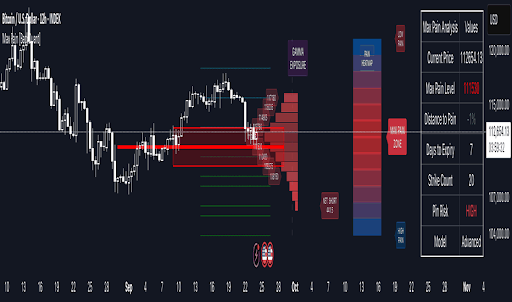
Easy access to trading tools on their various devices has also become more significant in the case of traders who require monitoring of markets without interruption. There should be no need to lose valuable data and opportunities when switching between a desktop, a laptop, a tablet, or a phone. Setting, indicator and watchlist syncing make sure that traders can always carry on with their analysis no matter their location. This type of flexibility saves time besides enhancing consistent decision-making.
TradingView offers an easy-to-use platform through which one can access their charts and layouts on different devices using a single account. After logging in, the modifications that are performed on a chart or watchlist will automatically be saved to the cloud. It implies that a trader can begin to analyze data on a desktop platform and then proceed to look at the same charts on a mobile platform without the need to reapply indicators or redraw lines. Cloud-based storage allows the elimination of the danger of work loss as a result of change of equipment or technical problems.
The process of configuring syncing between devices is quite simple. The first step is to sign into the same TradingView account on each of the devices that a trader favors. It is fully compatible both on the web platform, desktop application and the mobile app, and all versions are automatically connected to the user profile. The layout, indicators and alerts are constantly updated so that any change done on one device reflects on the rest. This makes it one working environment where traders do not have to set up the workspace repeatedly.
It demands consistency of charting in the analysis to be accurate. A trader that uses devices regularly would not necessarily be the same in terms of the differences in data or chart settings. This problem is overcome by TradingView where preferences are saved in real time to avoid confusion and misalignment in strategy testing. Be it in the case of tracing multiple assets or juxtaposing various periods, when using synchronized charts, it is easy to keep track and make decisions based on valid information.
One more important feature that promotes efficiency is the ability to manage alerts across devices. The traders are able to initiate price or indicator based alerts on a single device, but be notified using another device in connection with it. This is such that significant market trends are never missed even when one is out of the main work station. The timing of the alerts is particularly useful to those active traders who need to be quick to act and take advantage of the opportunity when the markets are high-paced.
The security and accessibility are the main priorities when sharing information between different devices. TradingView encrypts connections to preserve its user data and privacy. Connected devices may also be governed by the traders through their account settings, getting rid of those that are not currently being used. The control enables the users to secure their data and still enjoy the cross-platform convenience. The safety of the account will contribute to the trust in using cloud synchronization to meet the daily trading requirements.
Synchronization of TradingView with various devices facilitates the trading experience, which is more professional and smooth. It enables traders to stay in touch with the markets without frustrations of having to reconfigure the settings or lose track of their analysis. Having a single work environment within reach anywhere, at any time enables individuals to think more about strategy and less about set up. This convenience, accuracy, and security give TradingView an ideal selection of traders who appreciate efficiency and succession in their business process.